Shopify Invoice Generator: Professional PDF Invoices (2026)
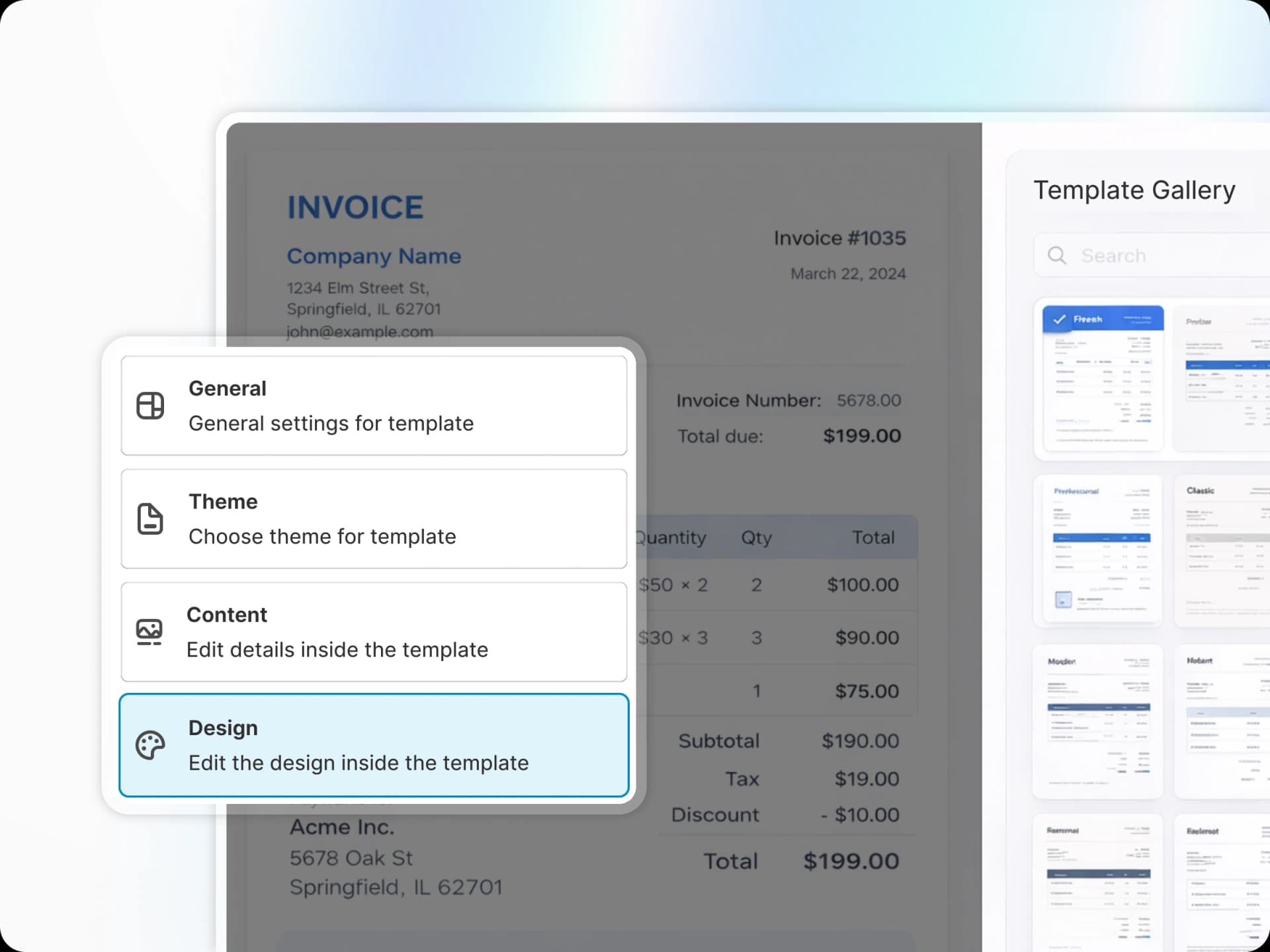
Shopify Invoice Generator: The Complete Guide to Professional PDF Invoices
If you run a Shopify store, you've likely noticed the platform's built-in invoicing tools fall short. Customers receive a basic receipt when you ship an order, but that's not the same as a proper invoice with sequential numbering, tax compliance details, and professional branding. As your business grows -- especially for B2B or international sales -- you need a shopify invoice generator that meets the legal and professional standards your accountant expects.
This guide covers everything about generating professional PDF invoices on Shopify: which features matter, how to set up automatic invoicing, and which apps deliver. Whether you're a small boutique or a wholesale operation processing hundreds of orders monthly, the right shopify pdf invoice generator saves hours of manual work and keeps you tax-compliant worldwide.
Why Your Shopify Store Needs a Proper Invoice Generator
Shopify's native invoicing is minimal by design. The built-in Order Printer app generates basic receipts that work for simple retail transactions but lack critical business features. There's no automatic sequential numbering, no way to include tax registration numbers or VAT details, and the templates are rigid. Customizing an Order Printer template requires Liquid code knowledge and still has severe limitations.
Invoice legal requirements vary by country, but most jurisdictions require: sequential invoice numbers that never repeat, business tax identification numbers, clear line items with tax breakdowns, and payment terms for B2B transactions. A proper invoice is a legal document that protects both you and your customer during disputes, audits, or warranty claims.
Professional invoices also build trust. When someone receives a branded PDF invoice with itemized charges and clear payment instructions, it reinforces that they're dealing with a legitimate business. This matters for high-ticket items, wholesale orders, and international shipments where customers may not know your brand.
The right shopify invoice generator also saves serious time. Manual invoicing takes 5-10 minutes per order when you factor in data entry, formatting, and email delivery. Across hundreds of monthly orders, that's dozens of hours better spent on growth. Automation isn't optional at scale.
What to Look For in a Shopify Invoice Generator App
Not all invoice apps are equal. Here are the features that separate professional solutions from glorified receipt makers.
Automatic PDF Generation on Order Creation
The app should generate invoices automatically without requiring clicks or reminders. Look for flexible triggers: generate on order creation, on fulfillment, on payment, or based on order tags. Your generator should accommodate your workflow, not force you to adapt.
Template Library with Professional Designs
Quality apps offer 50+ professionally designed templates across different styles: modern, classic, minimal, bold. Templates should be customizable without code -- colors, fonts, logo placement, field visibility, header and footer content. If an app requires Liquid code to change font sizes, look elsewhere.
Tax Compliance: VAT, GST, Sequential Numbering by Region
This is where most basic invoice apps fail. European VAT regulations require sequential numbering without gaps, tax registration numbers, and reverse charge mechanics for cross-border B2B sales. Australian businesses need ABN numbers and GST breakdowns. German businesses face strict archival requirements. The best shopify invoice generator handles these regional differences automatically based on your location and your customer's location.
Bulk Export for Accountants
Your accountant needs all January invoices in a single ZIP file, not forwarded one by one from email. Bulk export with date filtering, status filtering, and customizable file naming is essential. Bonus points for CSV exports your accounting software can import directly.
Multi-Currency and Multi-Language Support
International invoices need to display in your customer's currency with the exchange rate shown. Multi-language support means invoice text ("Subtotal", "Tax", "Total") appears in the customer's language automatically. This reduces support tickets from confused international customers.
B2B Features: PO Numbers, Payment Terms, Company Tax IDs
Wholesale customers need purchase order numbers, payment terms (Net 30, Net 60), their company tax ID for VAT exemption, and sometimes special pricing. If you do any B2B business, confirm your invoice generator supports these fields.
Packing Slips, Credit Notes, Proforma Invoices
A complete invoicing solution goes beyond sales invoices. Packing slips help verify shipments. Credit notes document refunds for accounting. Proforma invoices help with customs clearance for international shipments. Apps that only do sales invoices force you into multiple tools.
The Features Most Apps Miss
Credit Note Generation on Refunds
When you refund an order, you need a credit note referencing the original invoice. Most apps only let you delete or void an invoice, which creates accounting nightmares. Proper credit notes maintain the audit trail your accountant requires.
Draft Order Invoicing
If you use Shopify's draft orders for phone orders, custom quotes, or POS transactions, your invoice generator needs to support them. Many apps only work with standard orders.
Shopify POS Invoice Support
Retail stores using Shopify POS need printed or emailed invoices for in-person customers. Not all invoice apps integrate with POS transactions. Verify POS compatibility if you have a physical storefront.
PEPPOL / E-Invoicing for EU Compliance
Several European countries now require e-invoicing through PEPPOL networks for B2B transactions. Italy has mandated B2B e-invoicing through its SDI system since 2019, and France begins phasing in mandatory e-invoicing from September 2026. If you sell to businesses in these countries, standard PDF invoices may not be legally sufficient. Advanced invoice generators are beginning to support e-invoicing, but it's still rare.
How to Generate Invoices on Shopify (Step-by-Step)
Setting up professional invoice generation takes about 30 minutes. Here's the process for how to generate invoices on shopify.
Step 1: Install an Invoice Generator App
Browse the Shopify App Store for "invoice" or "PDF invoice." Read recent reviews -- an app with great ratings six months ago may have added bugs or changed pricing. Install your chosen app and grant the permissions it requests. Invoice apps need access to orders, customer data, and email notifications.
Step 2: Configure Your Business Details
Enter your complete business information: legal name, trading name (if different), address, tax registration numbers (VAT ID, GST number, sales tax ID), contact email, phone, and website. Double-check everything -- correcting it later often requires regenerating past invoices. Upload your logo at minimum 300x300 pixels with a transparent background.
Step 3: Choose or Customize Your Template
Select a template that matches your brand. Customize colors, fonts, element arrangement, and field visibility. Generate a test invoice from a real order to see the final result.
Step 4: Set Automation Rules
Configure when invoices generate: on order creation, after payment, upon fulfillment, or when specific tags are applied. Set up email automation: attach to Shopify's notification emails or send separately. Configure who receives invoices: all customers, orders above a certain amount, or specific customer tags (like wholesale accounts).
Step 5: Test with a Sample Order
Create a test order and verify: all fields populate correctly, tax calculations are accurate, the PDF renders properly, email delivery works, and invoice numbers increment correctly. Testing now prevents discovering issues after 100 invoices have gone out.
Once verified, the automatic shopify invoice generator handles everything from there.
Setting Up Automatic Invoice Emails
Trigger Options
Most generators let you attach PDFs to Shopify's existing order confirmation emails, or send separate invoice emails on specific triggers: immediate for upfront payments, after fulfillment for cash-on-delivery, or delayed for custom products.
Customizing Email Content
Customize the subject line (avoid spam-trigger words), write clear body text explaining the attachment and any action needed, add payment instructions if applicable, and include support contact information. Keep tone consistent with your brand.
PDF Attachment Settings
Use descriptive filenames like "Invoice-10034-YourBrandName.pdf" instead of generic "invoice.pdf." This helps customers find invoices later and looks more professional.
Bulk Exporting Invoices for Your Accountant
Monthly Batch Export
At month-end, use bulk export to generate all invoices from the period. Filter by date range, order status, and customer tags. Most apps produce a ZIP file with sequential naming.
Filtering and Organization
Export by payment method to match credit card batches, by fulfillment location for multi-warehouse operations, or by product type for category-level revenue tracking. Set this up once with your accountant's input to save hours every month.
Some generators export CSV files alongside PDFs with line-item detail and tax breakdowns that accounting software can import directly.
50+ Professional Invoice Templates for Every Business
Template selection affects more than aesthetics -- different business types require different layouts. A shopify invoice template generator should offer templates optimized for various industries.
Template Categories
Modern templates use clean lines and contemporary fonts -- ideal for tech and fashion brands. Classic templates use traditional layouts with serif fonts, suited for professional services and luxury goods. Minimal templates emphasize whitespace -- perfect for designers and artists. Bold templates use strong typography and high contrast, effective for sports and entertainment brands.
What Makes a Professional Template
Professional templates share key characteristics: clear visual hierarchy guiding the eye to "Amount Due," adequate whitespace, proper column alignment for scanning line items, consistent typography (2-3 fonts max), and sufficient contrast for black-and-white printing.
Templates must also handle edge cases: long product names that wrap properly, many line items flowing to additional pages, discounts displaying clearly, and multiple currencies without breaking layout.
Customization Without Code
A modern custom shopify invoice generator offers no-code customization: upload and position your logo, select brand colors, choose fonts, toggle field visibility, reorder sections, and add custom fields -- all through a graphical interface. Template customization should take 10 minutes, not 2 hours and a developer.
Apps like Avada PDF Invoice offer 50+ templates with full no-code customization, real-time previews, and seasonal template switching without losing customizations.
B2B and Wholesale Invoicing on Shopify
B2B invoicing has different requirements than consumer invoicing, yet most Shopify invoice apps are built for retail. If you run any wholesale operation, this section matters.
Why B2B Invoices Differ
Business buyers need: purchase order (PO) numbers referencing internal approval workflows, delivery notes verifying shipments, quantity-based pricing by volume tier, payment terms (Net 30, Net 60, 2/10 Net 30), separate buyer and payer details, and fields like cost centers or project codes. Retail templates rarely accommodate these fields.
Net 30/60/90 Payment Terms
Your shopify invoice generator for wholesale needs to display terms prominently, calculate due dates automatically, and trigger reminder emails as due dates approach. Your invoice should distinguish between invoice date, shipment date, and payment due date for proper revenue recognition.
Quantity-Based Pricing
Wholesale invoices should show per-unit pricing alongside totals: "100 units x $15.00 = $1,500.00" is clearer than "$1,500.00" alone. This reduces disputes and helps buyers reconcile invoices with purchase orders.
Some shopify invoice generator b2b apps pull pricing from Shopify's wholesale channel or B2B customer tags and display both retail and wholesale prices.
Multi-Location Billing
Larger wholesale buyers may have separate billing and shipping addresses, or order for multiple locations in a single PO. Your invoice generator needs to handle complex address scenarios and split multi-location orders into separate invoices if needed.
The Avada PDF Invoice app includes B2B features for wholesale operations, including PO number fields, customizable payment terms, and quantity-based pricing displays.
Tax Compliance by Region: VAT, GST, and Sequential Numbering
Tax compliance is where invoice generators prove their value. Getting this wrong means failed audits, rejected VAT reclaims, and legal penalties. A proper shopify vat invoice generator handles regional requirements automatically.
EU VAT Requirements
EU businesses face strict requirements under the VAT Directive: sequential numbering without gaps, your VAT registration number, the customer's VAT number for B2B sales, reverse charge indication for cross-border B2B, and archival for at least 10 years in some countries.
Different EU countries add requirements. Under §14 UStG, Germany requires B2B invoices within six months of the transaction, with strict correction rules. France requires electronic archiving. Italy mandates e-invoicing through its SDI system for all VAT-registered businesses.
The right generator detects locations and applies appropriate VAT treatment: standard VAT for domestic B2C, reverse charge for cross-border B2B within EU, zero-rated for export outside EU, and proper exemption codes when applicable.
Germany: Sequential Numbering
German tax law (UStG §14) requires gap-free invoice numbering. Shopify order numbers have gaps from canceled, test, and draft orders, so they don't qualify. Your invoice generator must maintain a separate sequential sequence that survives app updates and store migrations.
German invoices must also include the date of delivery (Leistungsdatum), which may differ from the invoice date. Most invoice apps miss this requirement.
Australia/India: GST
Australian businesses need ABN displayed on invoices, GST shown as a separate line item, and "Tax Invoice" notation. Invoices of $1,000 AUD or more require the buyer's identity or ABN — a key additional requirement over the simplified format allowed for smaller amounts, per ATO guidelines.
Indian businesses under GST require GSTIN, HSN/SAC codes, CGST/SGST/IGST breakdown depending on interstate vs. intrastate supply, and mandatory e-invoicing for businesses with annual turnover above ₹5 crore (approximately $600,000 USD), as of August 2023.
US: Sales Tax
Many states require sales tax stated separately on invoices. Businesses with nexus in multiple states need invoices showing which state's tax rate applies. For international sellers shipping to US customers, invoices should clarify responsibility for duties and taxes (DDP vs. DDU). Note that as of August 2025, the US suspended its $800 de minimis duty-free threshold, meaning all imports now face customs duties regardless of value.
Multi-Currency Tax Calculations
When selling internationally, tax rates apply in the customer's currency, but your accounting needs home-currency amounts. Quality generators display both currencies, the exchange rate, and home-currency amounts for your records.
E-Invoicing and PEPPOL Compliance
E-invoicing is mandatory for B2B in some countries and growing elsewhere. PEPPOL (Pan-European Public Procurement Online) is the standardized network.
Italy mandates e-invoicing through SDI for all VAT-registered businesses. France is phasing in mandatory e-invoicing starting September 2026 for large and mid-sized companies, with SMEs following in September 2027. Germany introduced mandatory e-invoicing for receiving e-invoices in January 2025 and is phasing in issuance requirements.
PEPPOL invoices use XML format (UBL or CII) that purchasing systems process automatically. If you sell to government entities or large enterprises in Europe, PEPPOL compliance may be contractually required before it's legally mandatory.
Most Shopify invoice apps don't support PEPPOL yet. If you need e-invoicing now, you may need a separate service alongside your invoice generator.
Top Shopify Invoice Generator Apps Compared (2026)
Here's a comparison of leading invoice generators on the Shopify App Store.
App | Price | Templates | Automation | Bulk Export | B2B Features | Tax Compliance | Multi-Language | Rating |
|---|---|---|---|---|---|---|---|---|
Avada PDF Invoice | Free-$49/mo | 50+ | Full | Yes | Extensive | VAT/GST/sequential | Yes | 4.9 (10,000+ stores) |
Sufio | $7-$49/mo | 30+ | Full | Yes | Yes | Strong VAT focus | Yes | 4.9 |
Order Printer Pro | $10/mo | 20+ | Full | Yes | Basic | VAT/GST | Yes | 4.9 |
Shopify Order Printer | Free | 2 built-in | Manual | Basic | No | Basic | No | 3.1 |
Invoice Falcon | Free-$15/mo | 15+ | Full | Yes | Basic | VAT/GST | Yes | 4.5 |
Avada PDF Invoice is the strongest all-around choice. With 50+ templates, comprehensive B2B features, and strong tax compliance, it handles everything from small retail stores to complex wholesale operations. The free tier is functional (not a trial), and paid tiers are affordable. Over 10,000 stores have used it to generate 50M+ invoices.
Sufio excels for European businesses needing rock-solid VAT compliance -- reverse charge scenarios, VIES integration for VAT number validation, and country-specific requirements. It's more expensive and may be more than needed for non-EU businesses.
Order Printer Pro is a solid mid-range option without extensive B2B features. Template customization requires some Liquid knowledge. The $10/month price point suits single-store operations.
Shopify Order Printer (the built-in free app) works only for the simplest retail operations. It requires Liquid coding, has no automation, and lacks B2B and tax compliance features.
Billify and Invoice Falcon are decent budget options with standard features but lack the template variety and B2B depth of Avada or Sufio.
The best shopify invoice generator for you depends on your needs. For most stores, Avada PDF Invoice offers the best balance of features, ease of use, and price. European stores with complex VAT should consider Sufio. Simple operations can start with Shopify Order Printer and upgrade when they need automation.
Free vs Paid Invoice Apps -- What You Get
Free Tier Realities
Free invoice apps like Shopify's Order Printer have severe limitations: basic templates, manual generation, no bulk export, and minimal support. For a new store with 10 monthly orders, this might work. Once you need automation, branded templates, or B2B features, you'll need to upgrade.
Some apps offer functional free tiers with reasonable limits. Avada PDF Invoice's free plan includes automation, multiple templates, and basic features. Paid tiers ($4.99-$9.99/month) add more templates, B2B features, and priority support. You can start free and upgrade as you grow without switching apps.
When to Upgrade
Upgrade from a free invoice app when: you spend more than 2 hours monthly on manual invoicing, you need B2B features like payment terms or PO numbers, you're in regions with strict tax compliance, customers complain about invoice quality, or your accountant requests bulk exports. The monthly cost ($5-20) is negligible compared to the automation value. Check the pricing page for detailed feature breakdowns.
Frequently Asked Questions
Does Shopify have a built-in invoice generator?
Yes, Shopify includes Order Printer for basic invoices. It's limited: few templates, Liquid coding required for customization, no automation, and no sequential numbering or VAT compliance. Most businesses outgrow it and switch to a dedicated app.
What's the difference between a receipt and an invoice?
A receipt proves payment was made. An invoice requests payment and includes more details: payment terms, due dates, tax breakdowns, and sequential invoice numbers. Retail customers who pay immediately get receipts. Wholesale or B2B customers need proper invoices.
Can I use Shopify order numbers as invoice numbers?
Not for tax compliance in most countries. Shopify order numbers have gaps from canceled or draft orders and don't meet sequential numbering requirements. A proper invoice generator maintains a separate sequence.
How do I add my VAT number to Shopify invoices?
With a dedicated app like Avada PDF Invoice, enter your VAT number in settings and it appears on all invoices automatically. The app can also pull customers' VAT numbers and apply reverse charge mechanics. With Order Printer, you'd need to edit Liquid code.
Can I send invoices automatically when orders are fulfilled?
Yes, with an automatic shopify invoice generator app. Configure the trigger in settings -- order creation, payment, fulfillment, or specific tags -- and the app generates and emails invoices without manual work.
What invoice format do accountants prefer?
Most prefer PDF invoices for standardization and archival. Some want bulk ZIP exports, others want CSV files with line-item detail alongside PDFs. Ask your accountant -- good invoice apps support multiple export formats.
Are invoice apps worth it for small stores?
If you process more than 20 orders monthly, yes. Manual invoicing takes 5-10 minutes per order, so 20 orders means 2-3 hours monthly. Even a $10 app pays for itself. Professional invoices also reduce payment disputes and support tickets.
Can I create invoices for wholesale and retail customers differently?
Yes, advanced generators let you apply different templates based on customer tags. Tag wholesale customers as "B2B" and configure a B2B template with payment terms, PO numbers, and quantity pricing. Retail customers get standard templates. See the features page for details.
Start Generating Professional Shopify Invoices Today
The right shopify invoice generator transforms invoicing from a manual chore into an automated background process. You get professional PDFs with your branding, tax compliance that satisfies your accountant, and B2B features wholesale customers expect -- without touching each order.
Avada PDF Invoice handles everything in this guide: 50+ customizable templates, automatic generation and delivery, bulk exports, comprehensive B2B fields, VAT/GST compliance with sequential numbering, multi-currency and multi-language support, plus packing slips and credit notes. Over 10,000 stores have generated 50M+ invoices with it.
Install Avada PDF Invoice free on the Shopify App Store -- no credit card required for the 14-day trial of premium features. Professional invoices generating automatically within 30 minutes.
For high volumes, complex B2B scenarios, or custom compliance needs, book a demo to discuss your requirements.
Stop spending hours on manual invoicing. Start generating professional invoices automatically today.


